



Top Scan And Convert To PDF Apps
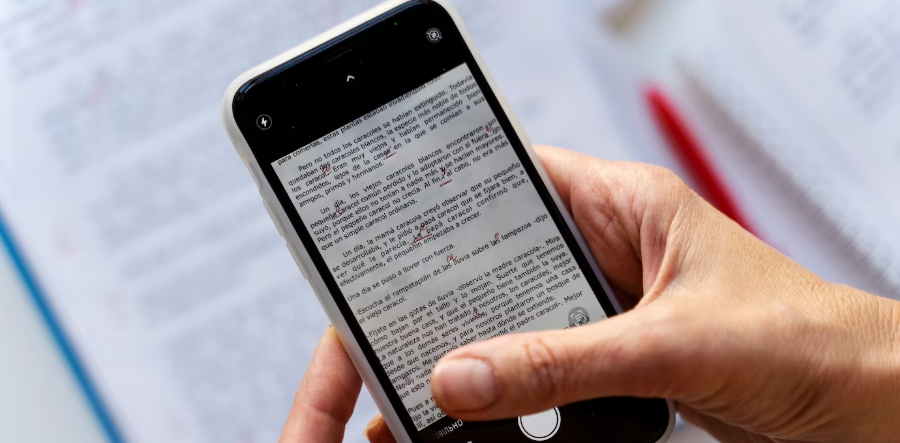
Welcome to our blog, where we dive into the world of scanning and converting documents into PDFs with the utmost efficiency and convenience. In today's digital era, the need for streamlined document management has become paramount, and we're here to guide you through the best scan and convert to pdf app that will revolutionize your document handling experience. Whether you're a student, professional, or simply looking to declutter your physical files, these cutting-edge applications offer intuitive interfaces, advanced OCR technology, and seamless integration across devices. Get ready to unlock a new level of productivity as we unveil the champions of document scanning and PDF conversion in this introduction.
-

Adobe Scan: PDF Scanner, OCR
Adobe BusinessGet ready to harness the power of Adobe Scan: PDF Scanner, OCR. This all-in-one free scan and convert to pdf app combines the convenience of scanning documents on your smartphone with intelligent OCR technology, creating high-quality PDFs that are searchable and editable. Say goodbye to physical clutter and embrace digital efficiency.
-

4.6
Ratings -

2.5M
Reviews -

100M+
Downloads
-
-

Scanner App to PDF -TapScanner
Tap mobile BusinessTapScanner, the ultimate scanning companion, transforms your smartphone into a powerful document scanner. With its impressive features and intuitive interface, you can effortlessly scan, enhance, and convert documents into professional-grade PDFs. Simplify your scanning tasks and boost your productivity with TapScanner.
-
4.5
Ratings -
1.92M
Reviews -
50M+
Downloads
-
-

PDF Scanner App: Document Scan
Tools & Utility Apps BusinessIntroducing the PDF Scanner App: Document Scan, your go-to solution for digitizing paperwork. This scan and convert to pdf app for android offers quick and accurate document scanning, ensuring high-quality PDF outputs and seamless sharing options. Streamline your document management with ease and efficiency.
-
4.7
Ratings -
274K
Reviews -
10M+
Downloads
-
-

Document Scanner - PDF Creator
Lufick BusinessDocument Scanner - PDF Creator is your ultimate tool for transforming physical documents into digital PDFs. With its advanced scanning capabilities and easy-to-use interface, you can effortlessly digitize, organize, and share your documents for improved productivity.
-
4.5
Ratings -
1.16M
Reviews -
10M+
Downloads
-
-

PDF Scanner, Cam Scan - Kaagaz
Kaagaz Apps BusinessUnleash the power of Kaagaz: PDF Scanner, Cam Scan. This cutting-edge app revolutionizes document scanning with its superior image processing technology, ensuring crystal-clear scans that can be effortlessly converted into PDFs. Simplify your document management with Kaagaz.
-
4.5
Ratings -
206K
Reviews -
10M+
Downloads
-
-

Image to PDF - PDF Maker
Simple Design Ltd. BusinessDiscover the convenience of Image to PDF - PDF Maker. This scan and convert to pdf app development allows you to effortlessly convert images into high-quality PDFs, making it a breeze to organize and share your digital documents. Streamline your workflow with ease using Image to PDF - PDF Maker.
-
4.8
Ratings -
880K
Reviews -
10M+
Downloads
-
-

Clear Scan - PDF Scanner App
Indy Mobile App BusinessClear Scan - PDF Scanner App is your reliable companion for seamless document scanning. With its advanced image processing technology and intuitive features, you can effortlessly convert documents into clear, high-quality PDFs, revolutionizing your digital document management experience.
-
4.6
Ratings -
380K
Reviews -
10M+
Downloads
-
Launch Your Scan and Convert to Pdf App At Affordable Rate!
Share Your Requirements!Do You Want to Know The Cost of Scan and Convert Pdf App?
Talk to Our Expert!Takeaway!
In conclusion, the world of document scanning and PDF conversion has been revolutionized by these top-notch apps. From the powerful OCR capabilities of Adobe Scan to the convenience of TapScanner and the impressive image processing of Kaagaz, these apps streamline your workflow, boost productivity, and bring efficiency to your document management. Embrace the digital era and take control of your documents with these exceptional tools.